DAB EsyBox
DAB EsyBox intelligent pump system with real-time pressure, flow, energy monitoring, and pump control via the DConnect cloud API.
DAB EsyBox Pump
Integration for DAB EsyBox intelligent pump system with pressure, flow, and energy monitoring
Installation Guide
View on Github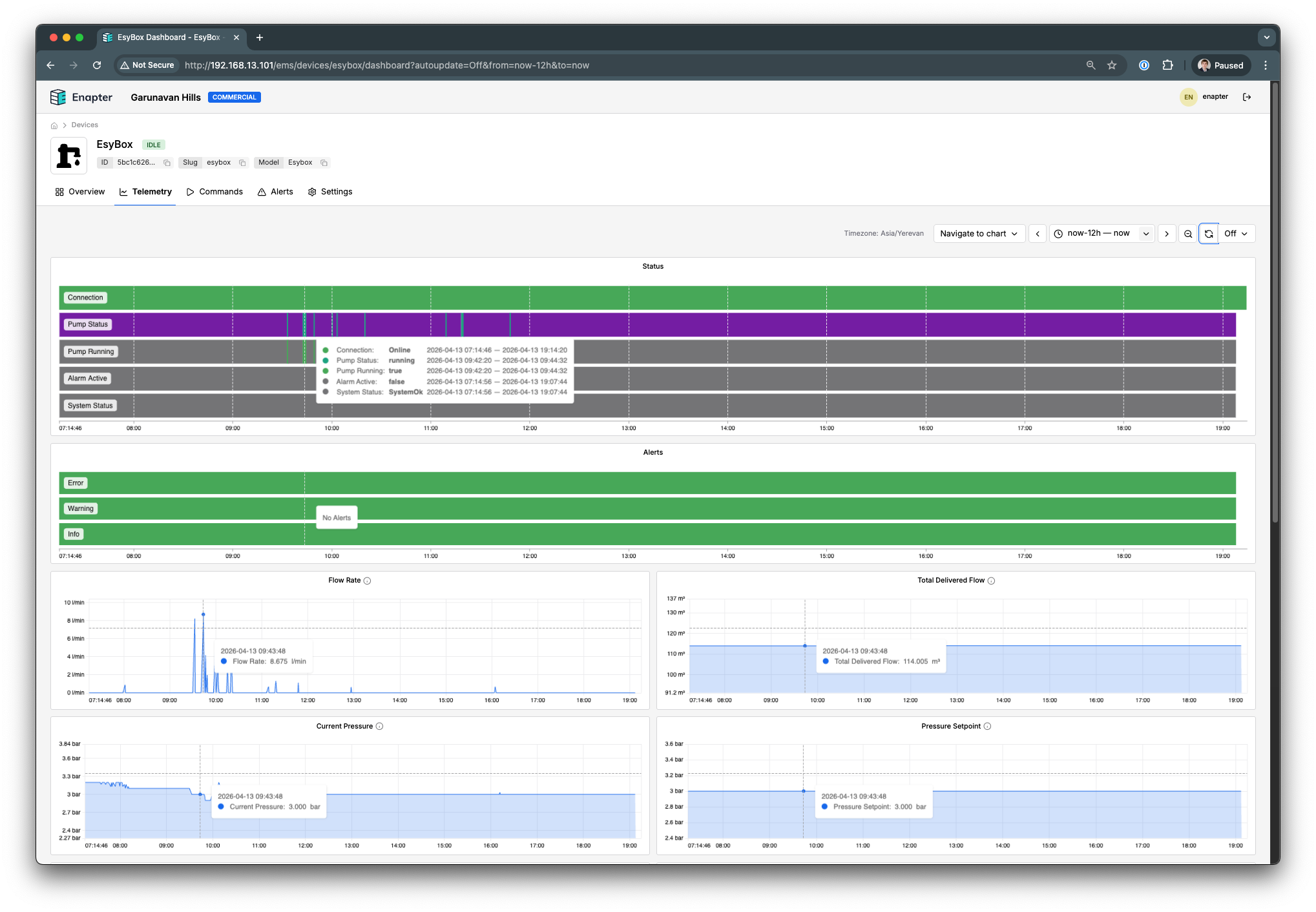
This blueprint integrates with DAB EsyBox intelligent pump systems through the DConnect cloud service, providing real-time telemetry and pump control.
Beyond basic monitoring, it enables preventive diagnostics for cold and hot water systems. The built-in pressure alerts help identify:
- Low water pressure — potential leaks in the plumbing system
- High pressure spikes — problems with the bladder tank or safety relief valve
Early detection of these conditions helps avoid flooding and premature wear of the water system.
All telemetry is stored locally on the Enapter Gateway and synced to Enapter Cloud, building a complete operational history of the pump — energy consumption, run hours, flow volumes, and pressure trends. This data is available for on-demand analytics and reporting, supporting maintenance planning and system performance audits.
Supported Devices
- DAB EsyBox
- DAB EsyBox Mini / Mini 3
- DAB EsyBox Max
- DAB EsyBox Diver
Requirements
- Enapter Virtual UCM (ENP-VIRTUAL)
- DAB EsyBox pump with internet connectivity (built-in WiFi or DConnect Box)
- Active DConnect account
Monitored Data
| Telemetry | Description | Unit |
|---|---|---|
| Flow Rate | Current water flow rate | L/min |
| Pressure | Current water pressure | bar |
| Pressure Setpoint | Target pressure setpoint | bar |
| Total Delivered Flow | Accumulated water flow | m3 |
| Heatsink Temperature | Pump heatsink temperature | C |
| Water Temperature | Water temperature | C |
| Power | Current power consumption | W |
| Energy Consumption | Total energy consumed | kWh |
| Power On Hours | Total hours powered on | hours |
| Run Hours | Total hours running | hours |
| Start Count | Total number of pump starts | - |
| Pump Running | Whether pump is currently running | boolean |
| Alarm Active | Whether any alarm is active | boolean |
| Status | Operating status (idle, running, alarm, standby, disabled) | - |
Commands
| Command | Description |
|---|---|
| Start Pump | Enable pump operation |
| Stop Pump | Disable pump operation |
| Configure | Set DConnect credentials and device selection |
Control commands require a Professional/Installer role account in DConnect.
Setup
- Create a DConnect account at internetofpumps.com
- Ensure your pump is connected and visible in DConnect
- Add a Virtual UCM in Enapter Cloud and select this blueprint
- Run the Configure command with your DConnect email and password
- Leave Installation ID and Device Serial empty for auto-discovery, or specify them manually
Tip: Create a separate DConnect account for Enapter to avoid conflicts with mobile app sessions.
References
- DAB Pumps Official Website
- Internet of Pumps - DConnect
- Home Assistant DAB Pumps Integration
- Enapter Developer Documentation
Support
For issues with:
- Enapter Blueprint: Contact Enapter support at support@enapter.com
Runs on